How to run first_setup.sh
This guide will help you learn how to run the first_setup.sh script when deploying fresh securebooks
To accomplish this process you will need:
WP Securebook
Default jadmin Password
New Student’s Name and Password
New jadmin Password
Current Date and Time
Note
Double Check all information entered during this script as it should only be run once.
To complete the First Setup process, follow these steps:
Power On the Securebook
Login to the jadmin account using the default password
Open the Terminal Application (Click Icon on the Desktop or Type ‘Terminal’ in the Searchbar)
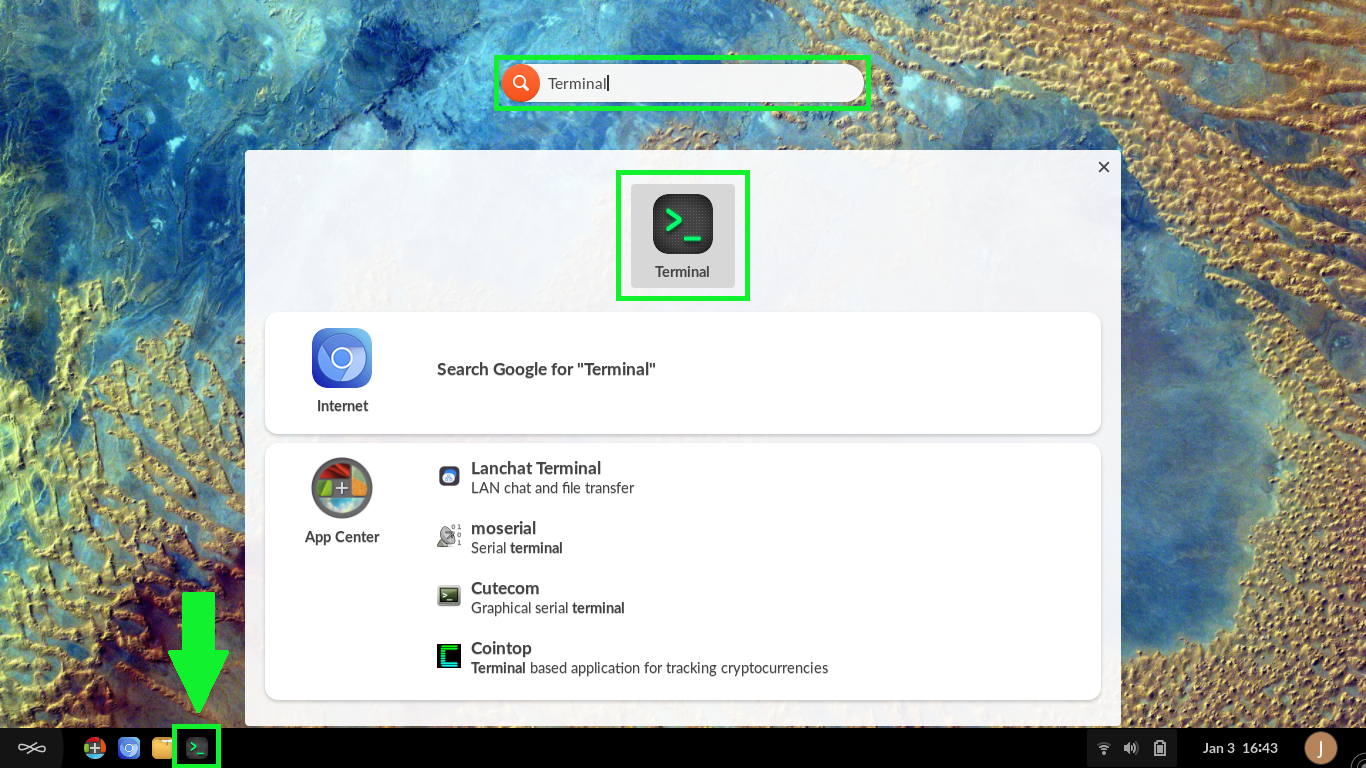
Run the following command:
1sudo bash first_setup.sh
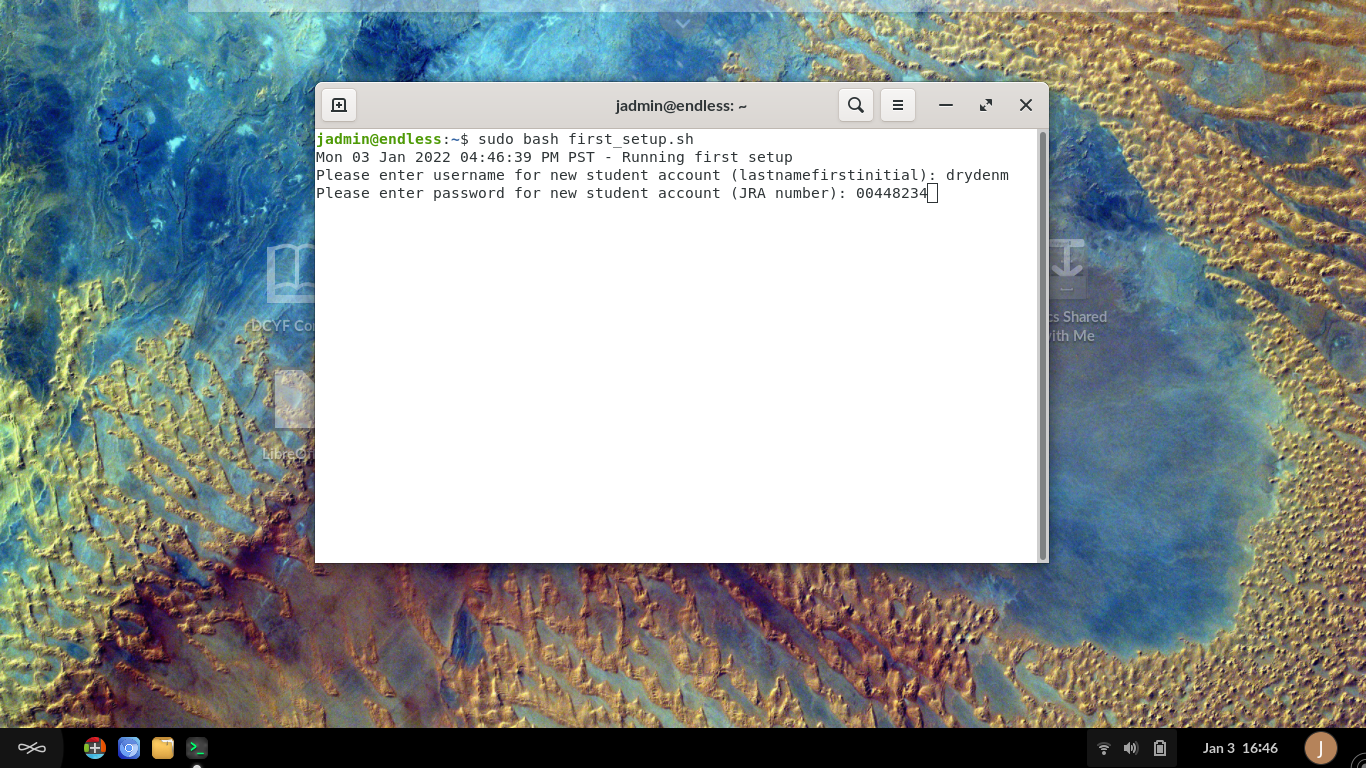
Follow the On-Screen prompts
Enter the New Student Account Name
Enter the New Student Account Password
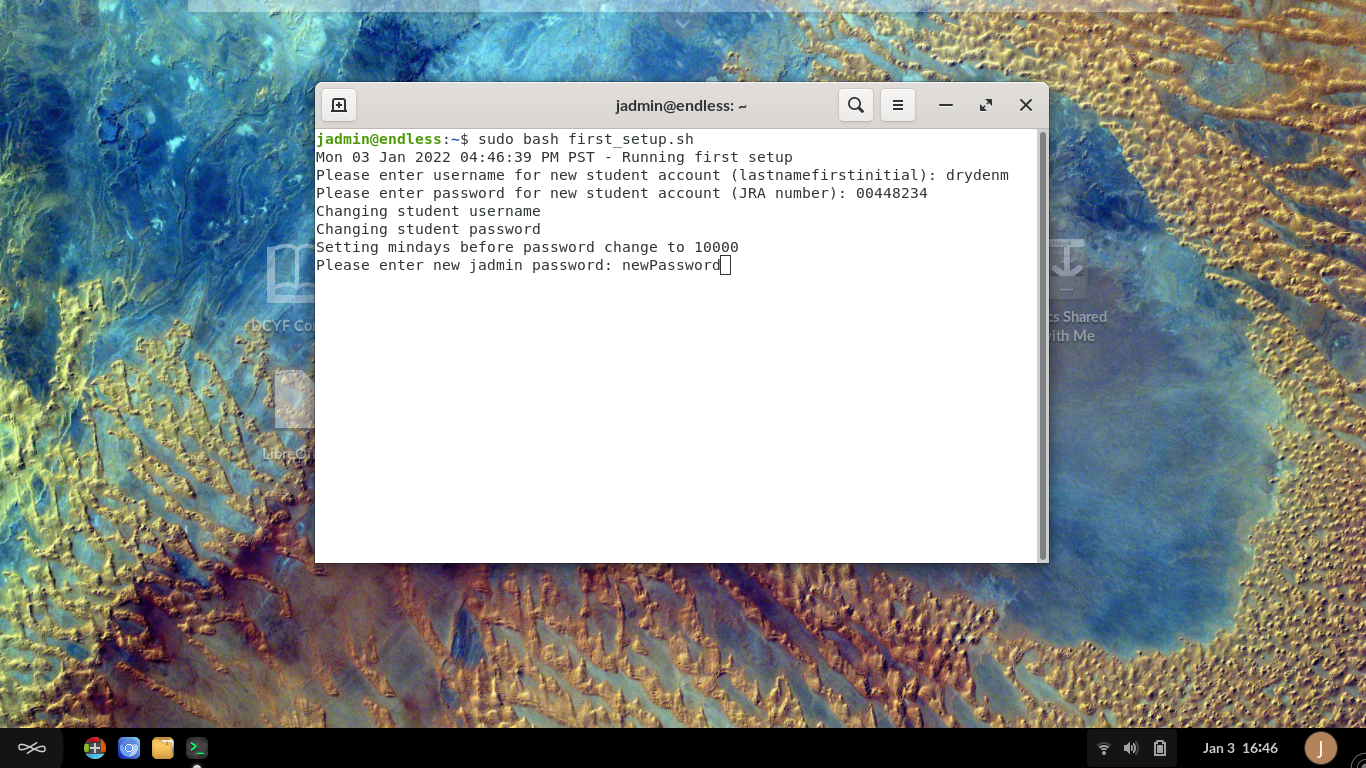
Enter the New jadmin Account Password
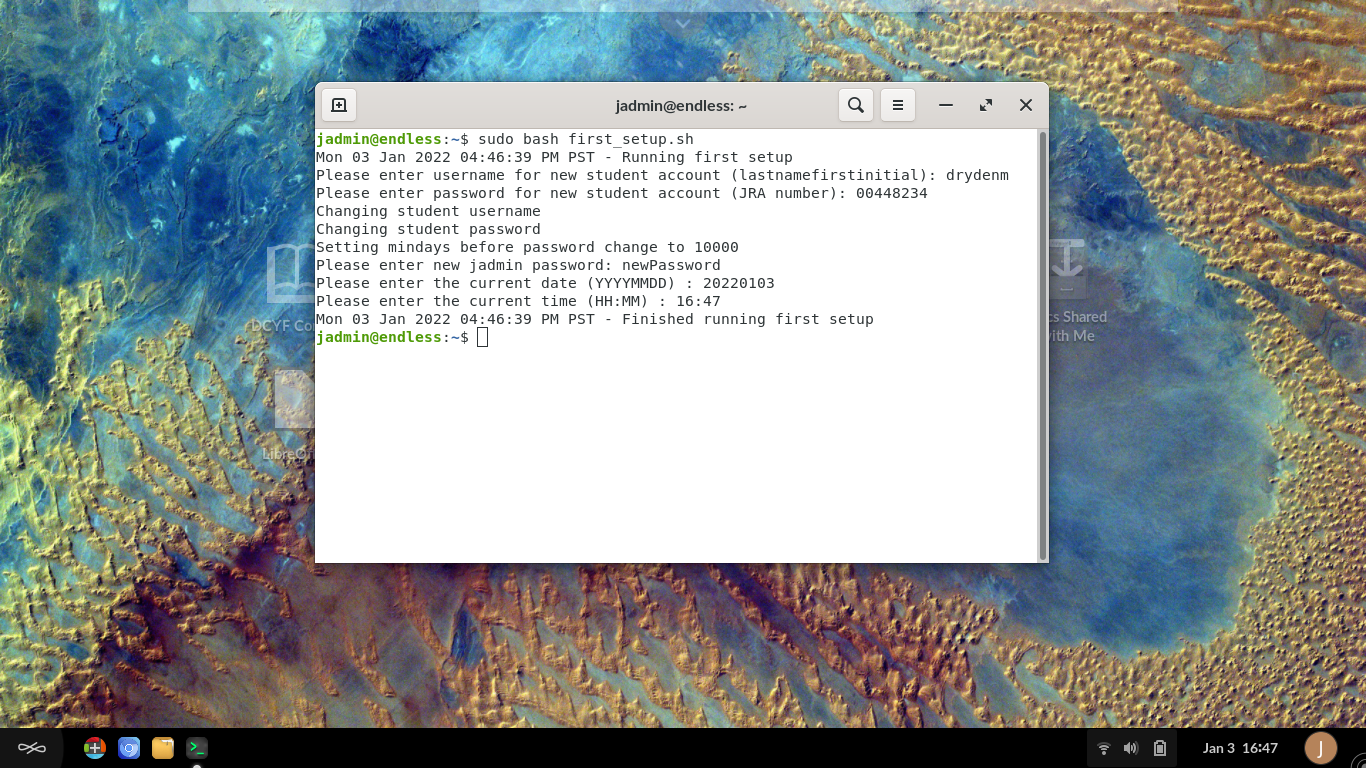
Enter the Current Date (YYYYMMDD)
Enter the Current Time (HH:MM) in 24 Hour format
Note
Once you have entered all the information, the script should conclude.*
Once the script concludes, close the Terminal Application.
Note
In the event that information is incorrect when entered or was incorrectly entered, refer to the Changing Setup Values Document for more details on methods and commands to use to correct the information mis-entered.