Viewing Hidden Files and Folders
This guide will help you learn how to make hidden files and folders appear in the file explorer
To accomplish this task, you will need:
WP Securebook
To display hidden files and folders, follow these steps:
Log into an Endless OS user Account
Open the file explorer

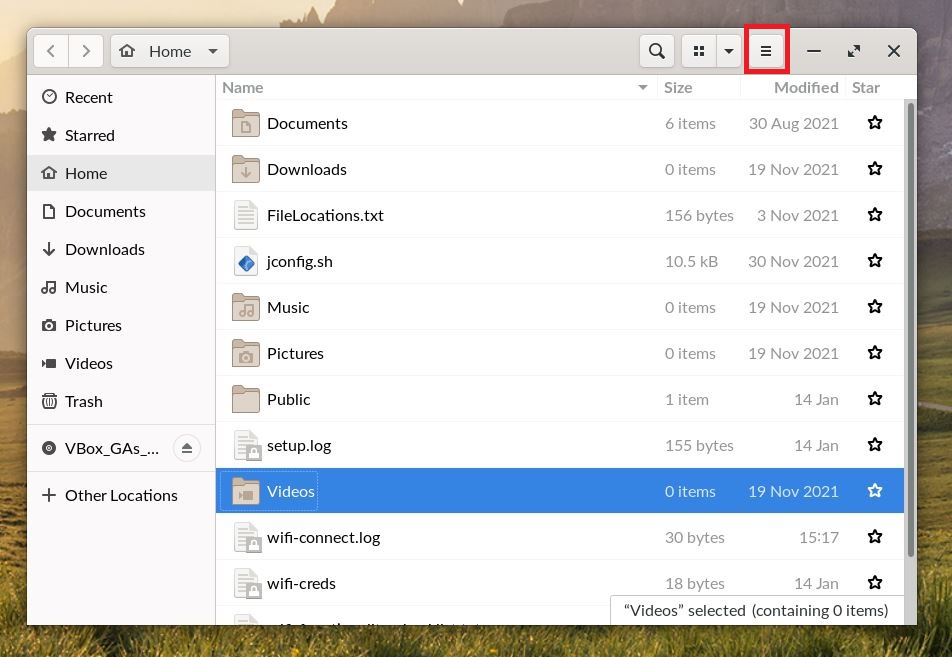
Click the button with the three horizontal lines in the top right of the file explorer
Check the box next to the words “Show Hidden Files”

Scroll down and (given that you are in the jadmin home folder, which you should be by default) you will see files and folders you wouldn’t have seen before

Note
To hide the hidden folders and files, simply uncheck that box we checked in step 4.