Changing Background
This guide will help you learn to change the background image of the Endless OS Desktop
To accomplish this task, you will need:
WP Securebook
To change the image of the Endless OS Desktop background, follow these steps:
Login to the desired Endless OS account
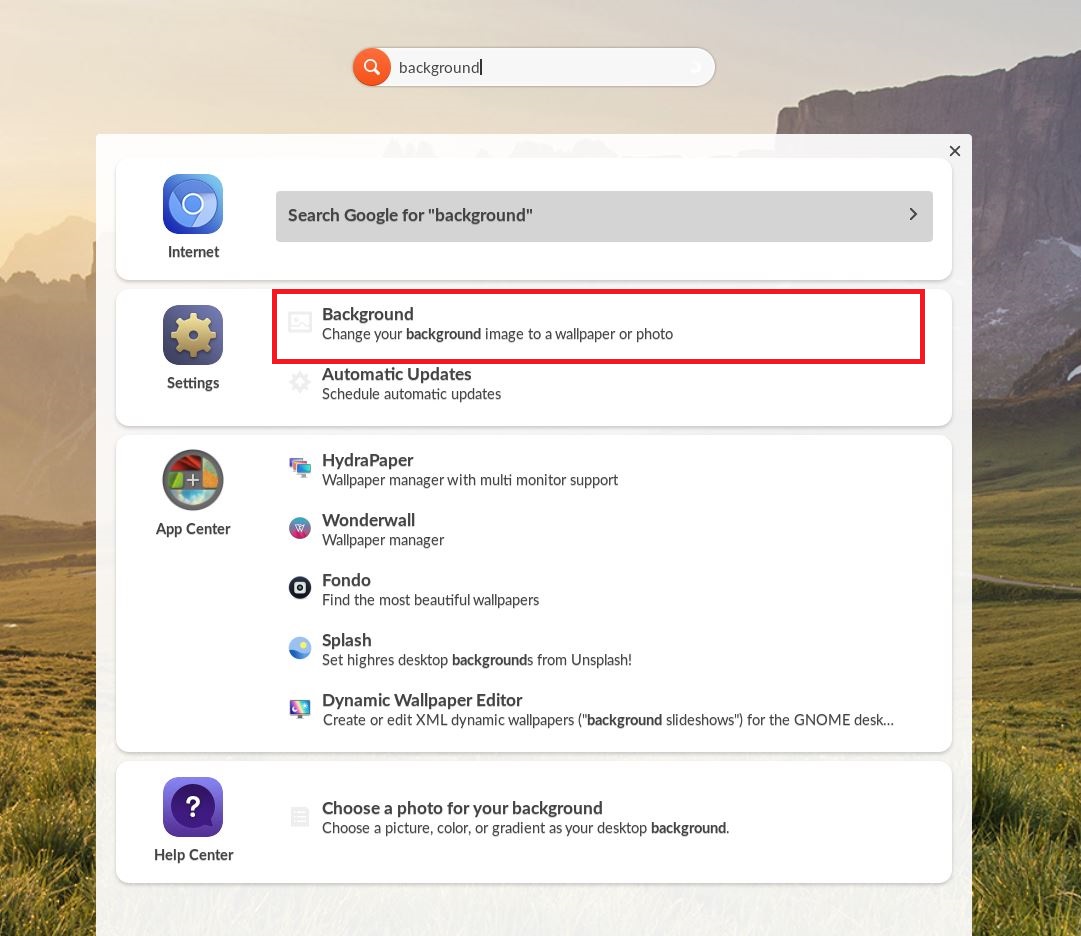
Type “background” in the Universal Searchbar at the top of the desktop
Click Background in the Settings option
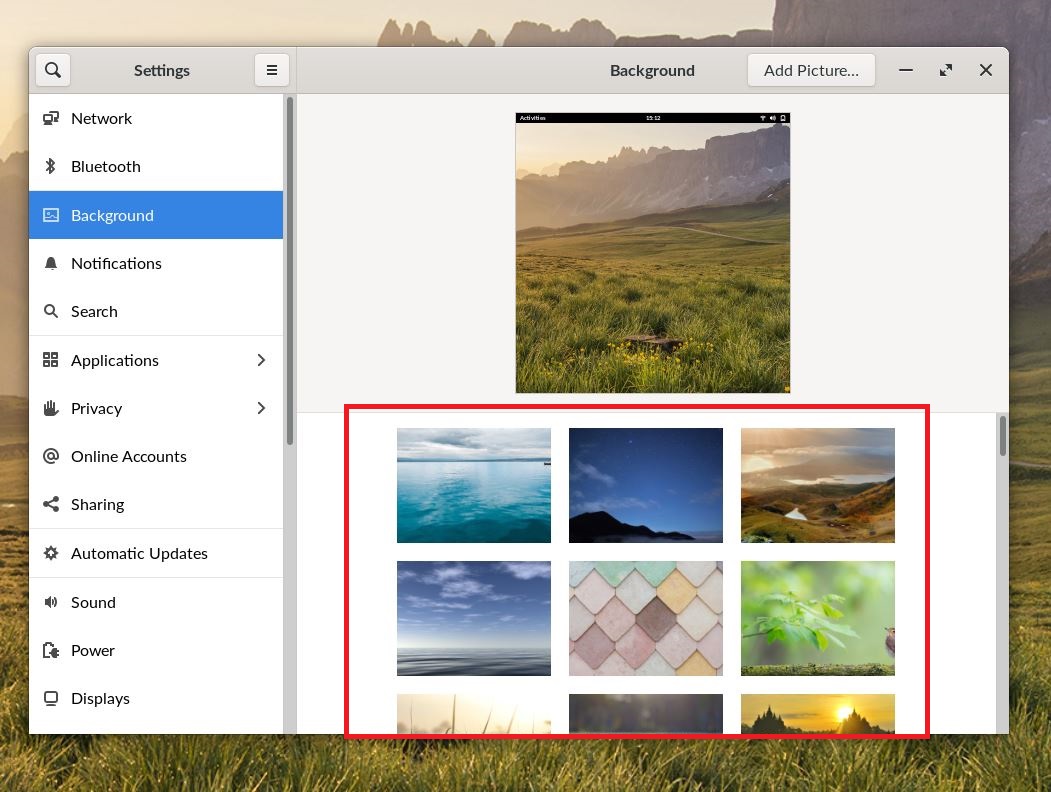
Scroll through the options and click an image to apply it to the Endless OS desktop
Note
Custom Background images can be selected by clicking the “Add Picture…” button in to top right of the Background Settings Window